Visualizing Audio: A Practical Guide to Sound Wave, Pulse Line, and Equalizer Graphics
In the digital landscape, audio is no longer just something we hear; it is something we see. From music streaming platforms and podcast interfaces to corporate branding and video production, the visual representation of sound has become a critical design element. When designers and content creators seek to convey audio concepts, they typically navigate three primary visual archetypes: the sound wave, the pulse line, and the equalizer. While these terms are often used interchangeably in casual conversation, they represent distinct graphical approaches with different strengths, technical requirements, and ideal use cases. Understanding the nuances between a fluid sound wave illustration, a rhythmic pulse line, and a structured equalizer logo is essential for selecting the right vector icon template for your specific project.
Defining the Core Visual Styles
To make an informed decision about which graphic style suits your needs, it is necessary to first distinguish what each format actually represents. These are not merely aesthetic choices; they communicate different aspects of audio data.
A sound wave illustration typically mimics the analog waveform of audio. It appears as a continuous, oscillating line that varies in amplitude and frequency. This style is organic and fluid, often resembling a sine wave or a complex, jagged line that suggests voice or natural noise. In vector icon templates, sound waves are frequently used to represent recording, voice notes, or the raw essence of audio. They feel dynamic and unstructured, making them ideal for projects that want to emphasize the human element of sound or the continuity of a signal.
In contrast, a pulse line offers a more stylized, rhythmic interpretation. Rather than showing the detailed fluctuations of a waveform, a pulse line usually depicts a single, steady line that spikes or expands at specific intervals. This visual metaphor suggests a heartbeat, a transmission, or a momentary burst of activity. Pulse lines are often cleaner and more minimalistic than full sound waves. They are particularly effective in user interfaces where space is limited, or in branding that needs to suggest connectivity and life without the visual clutter of a complex waveform.
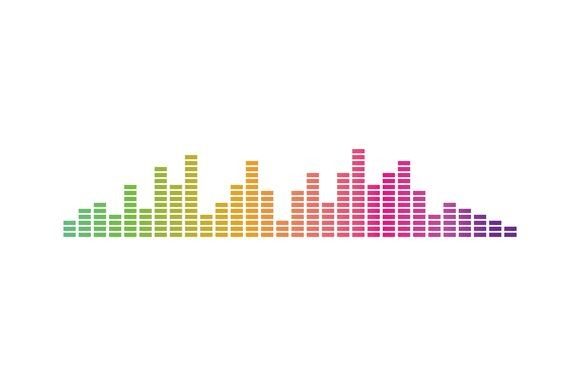
The equalizer (or EQ) graphic is perhaps the most recognizable symbol of modern audio technology. It consists of multiple vertical bars of varying heights, representing different frequency bands. Unlike the continuous flow of a wave or the singular spike of a pulse, the equalizer is structural and segmented. It implies control, adjustment, and technical precision. When used in logos or icons, an equalizer suggests high fidelity, professional mixing, or bass-heavy music genres. It is a rigid, geometric approach that conveys stability and technological sophistication.
Evaluating Use Cases and Contextual Fit
Selecting between these styles depends heavily on the context in which the graphic will be deployed. The "best" option is rarely about which looks the most impressive in isolation, but rather which one aligns with the functional and emotional goals of the project.
For branding and logo design, simplicity is paramount. A complex sound wave with hundreds of data points may look impressive on a large poster but can become muddy when scaled down to a favicon or a mobile app icon. In these scenarios, a pulse line often provides the best balance. Its minimal nature ensures legibility at small sizes while still clearly communicating the concept of audio. However, if the brand identity is rooted in music production or audio engineering, an equalizer motif might be more appropriate. The vertical bars of an EQ logo can be easily stylized to form letters or integrated into broader geometric brand systems, offering a sense of structure that organic waves lack.
In user interface (UI) and user experience (UX) design, the choice often hinges on the state of the audio. A sound wave animation is excellent for indicating active recording or playback, providing users with immediate visual feedback that their voice is being captured. The fluid motion feels responsive and natural. Conversely, a pulse line is often used to indicate a "listening" state or a connection status—suggesting that the system is alive and waiting for input. Equalizer graphics in UI are typically reserved for settings menus or player interfaces where the user expects to adjust tonal balances. Using an EQ icon for a simple "play" button might confuse users who associate that symbol with advanced audio settings rather than basic playback.
Technical Considerations: Vector vs. Raster
When sourcing these graphics, the file format is just as critical as the visual style. For professional applications, vector icon templates are superior to raster images (like JPEGs or PNGs). Vectors, typically saved as SVG, EPS, or AI files, use mathematical paths to define shapes. This means a sound wave or equalizer logo can be scaled from the size of a business card to a billboard without losing any resolution or becoming pixelated.
Raster images, by comparison, are made of pixels. If you attempt to enlarge a pixelated sound effect illustration, it will appear blocky and unprofessional. Furthermore, vector files allow for greater customization. With a vector template, you can easily change the color of individual bars in an equalizer or adjust the thickness of a pulse line to match your brand guidelines. You can also animate specific paths within the vector file for web use, creating dynamic interactions that static images cannot achieve. When evaluating resources, always prioritize vector-based assets to ensure long-term flexibility and scalability.
Tradeoffs and Limitations
While each style has its merits, there are tradeoffs to consider. The primary limitation of the sound wave is its potential for visual noise. Because waves are inherently irregular, they can sometimes clash with clean, minimalist design systems. If a website relies on strict grid lines and geometric typography, an organic, jagged wave might feel out of place unless carefully stylized.
The pulse line, while elegant, can sometimes be too abstract. Without context, a spiking line could be mistaken for a medical heartbeat monitor or a seismic reading rather than an audio cue. Designers using this style must ensure that the surrounding context clarifies the audio intent, perhaps by pairing the icon with a speaker symbol or using it within a known media player interface.
The equalizer carries its own baggage of association. It is strongly tied to music and hardware. If you are designing for a podcast about history or a meditation app, an aggressive equalizer graphic might send the wrong message, suggesting loudness or technical complexity rather than calm narration or ambient sound. In such cases, a softer, smoother sound wave or a gentle pulse line would be more tonally appropriate.
Making the Final Decision
Ultimately, choosing between a sound wave, pulse line, or equalizer comes down to the story you want your visual identity to tell. Ask yourself the following questions during your evaluation process:
- What is the scale? If the graphic needs to work at very small sizes, lean towards the simplified geometry of a pulse line or a stylized equalizer.
- What is the emotion? Do you want to convey energy and rhythm (pulse), organic human connection (wave), or technical precision and power (equalizer)?
- What is the medium? For print and scalable branding, insist on vector formats. For quick social media posts where animation is key, ensure the template supports motion graphics.
- Is clarity a priority? If your audience needs to instantly recognize the function as "audio," the equalizer is the most universally understood symbol, whereas the wave requires slightly more interpretation.
There is no single "correct" choice among these options. A high-end audio equipment manufacturer might successfully employ a detailed equalizer logo to emphasize precision, while a mindfulness app might choose a soft, flowing sound wave to represent the breath and voice. By understanding the distinct characteristics of each style and matching them to your specific constraints and goals, you can select a visual asset that enhances rather than distracts from your core message. Whether you opt for the rhythmic spike of a pulse, the fluid motion of a wave, or the structured bars of an EQ, the key lies in intentional selection and high-quality execution.